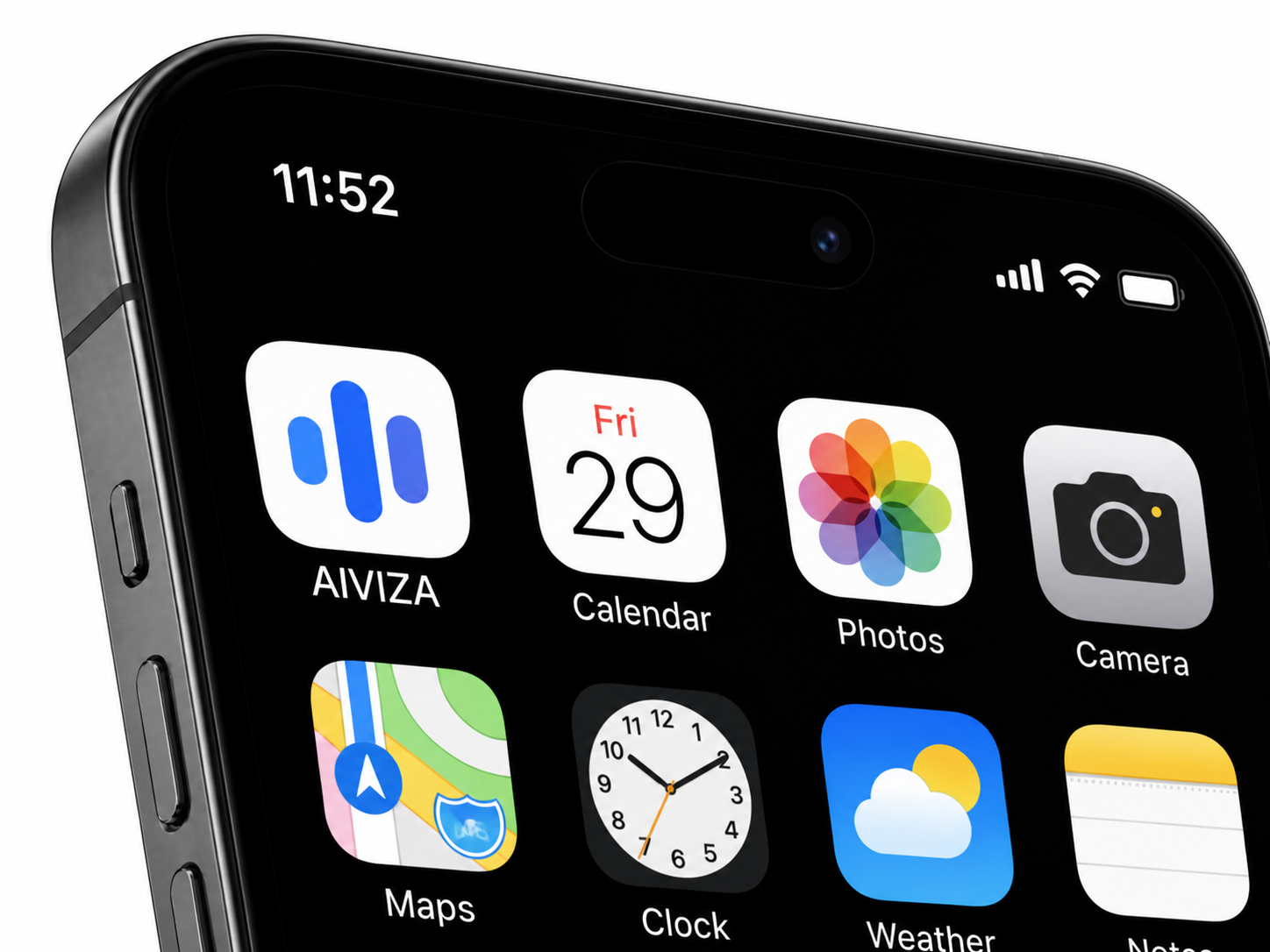
SUMMARY / KEY DECISION
A focused first release.
Prioritize recording and summaries. Confirm the launch date after the review.
From the launch review AIVIZAGet the app
THE AIVIZA APP
Capture the moment. Make sense of the details.
Turn everyday conversations into something useful.
EVERYDAY MOMENTS. MEANINGFUL INSIGHTS.
Scroll to see how it works
01 / CAPTURE THE MOMENT
02 / AI PROCESSING IN THE APP
AIVIZAConversation audio
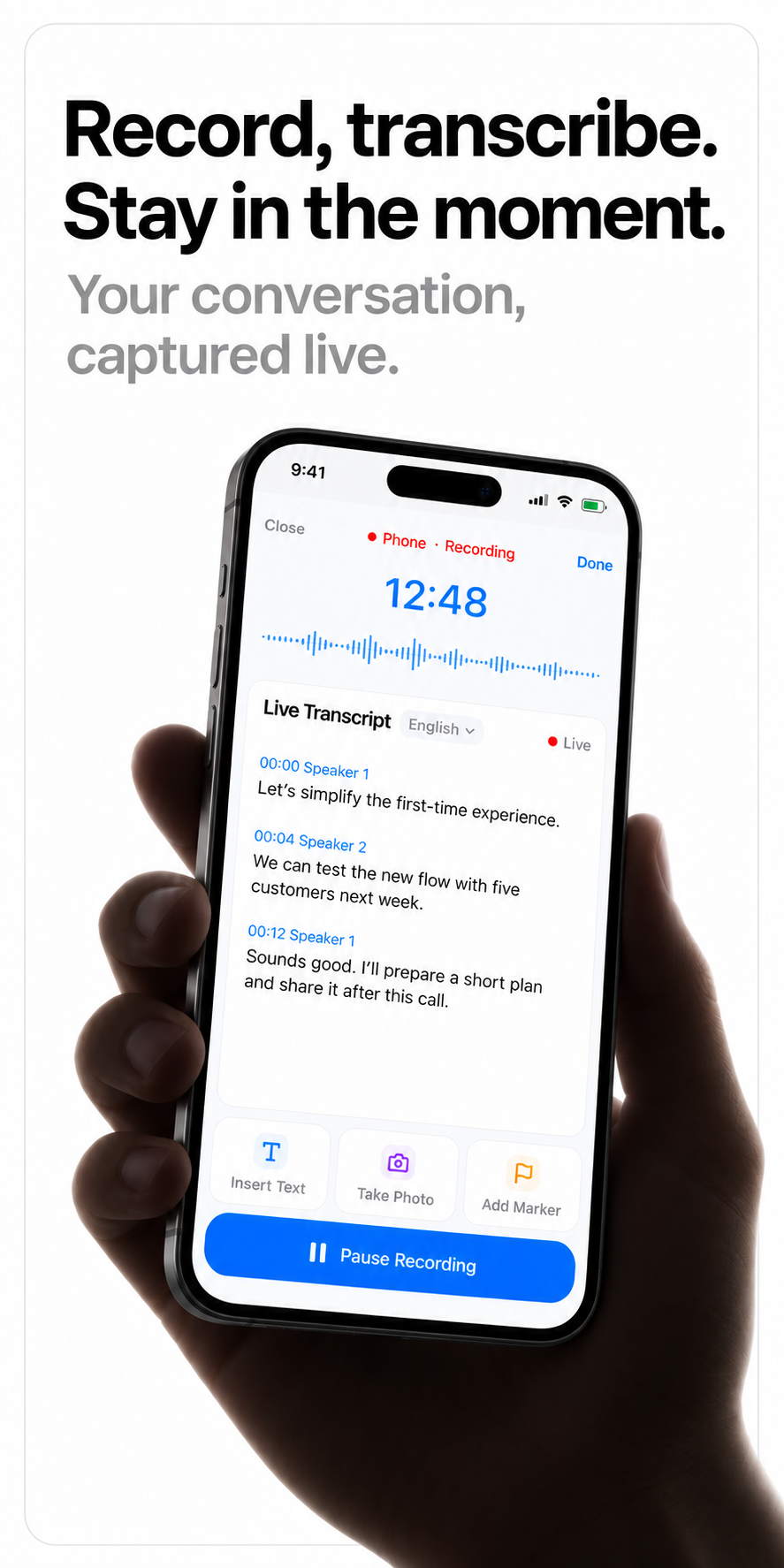
Live transcript
02:38 · SamAlex, could you send the revised onboarding flow by Friday at 3 pm?
05:07 · AlexYes, Friday at 3 pm works for me. Let’s leave the launch date open until the review is done.
Creating a transcript.
Writing a summary.
Finding to-dos.
Meeting notes
Focus the first release on recording and summaries.
Send the revised flow. Collect the test feedback.
Onboarding clarity is a recurring theme to explore.
03 / KEEP WHAT COMES NEXT
SUMMARY / KEY DECISION
Prioritize recording and summaries. Confirm the launch date after the review.
From the launch reviewTO-DOS / NEXT STEPS
Alex · Friday, 3 pm
Sam · Deadline not stated
AI INSIGHTS / CONNECT THE DOTS
Onboarding comes up throughout the discussion. Compare it with the test feedback to explore where people need more guidance.
AI interpretation · Check against the sourceIllustrative conversation and app preview.
01 / CAPTURE
Keep the conversation flowing while AIVIZA captures the words and the details worth remembering.
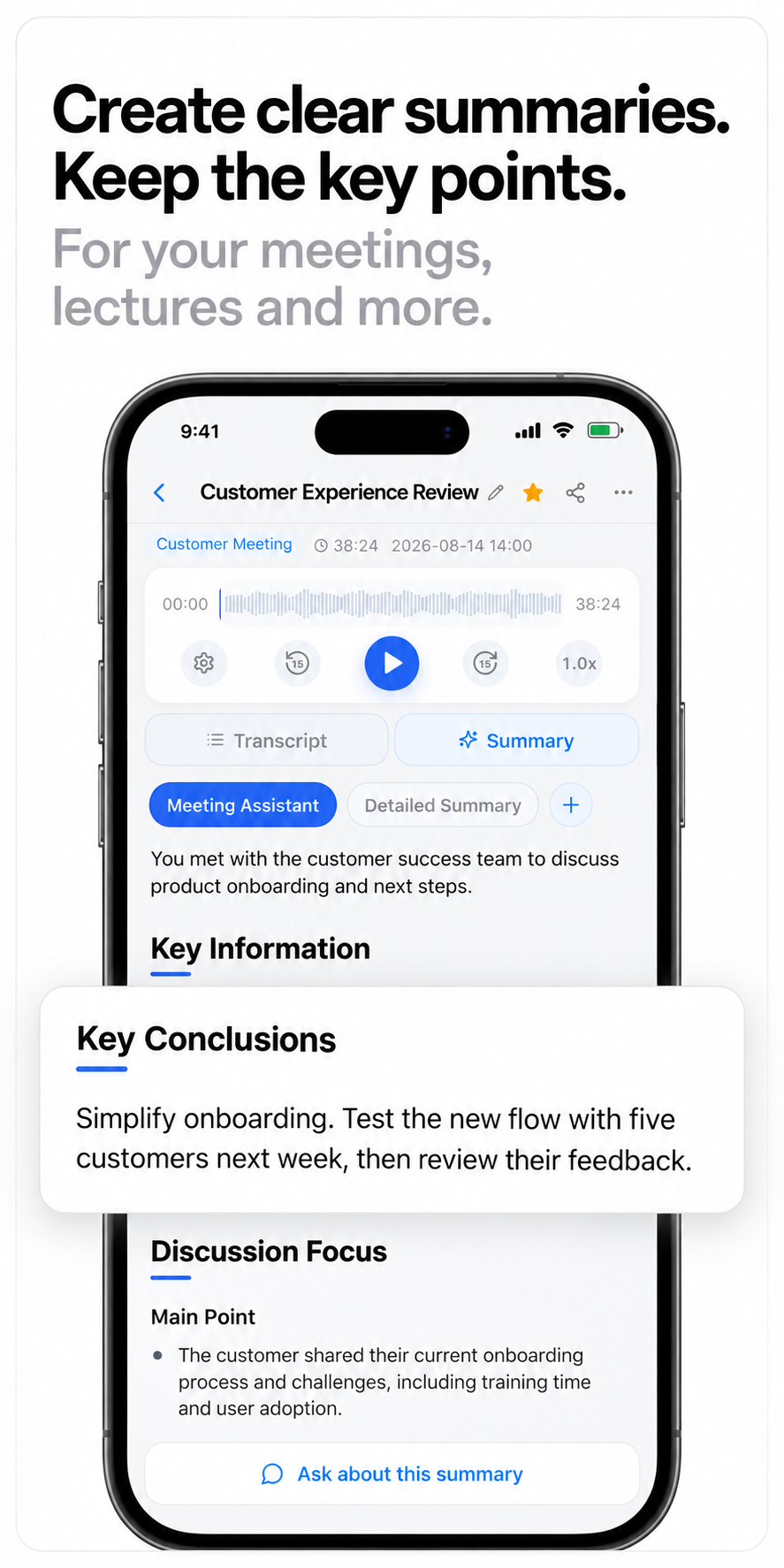
02 / UNDERSTAND
Turn a long conversation into a clear starting point. Review the key conclusions, then ask your next question.
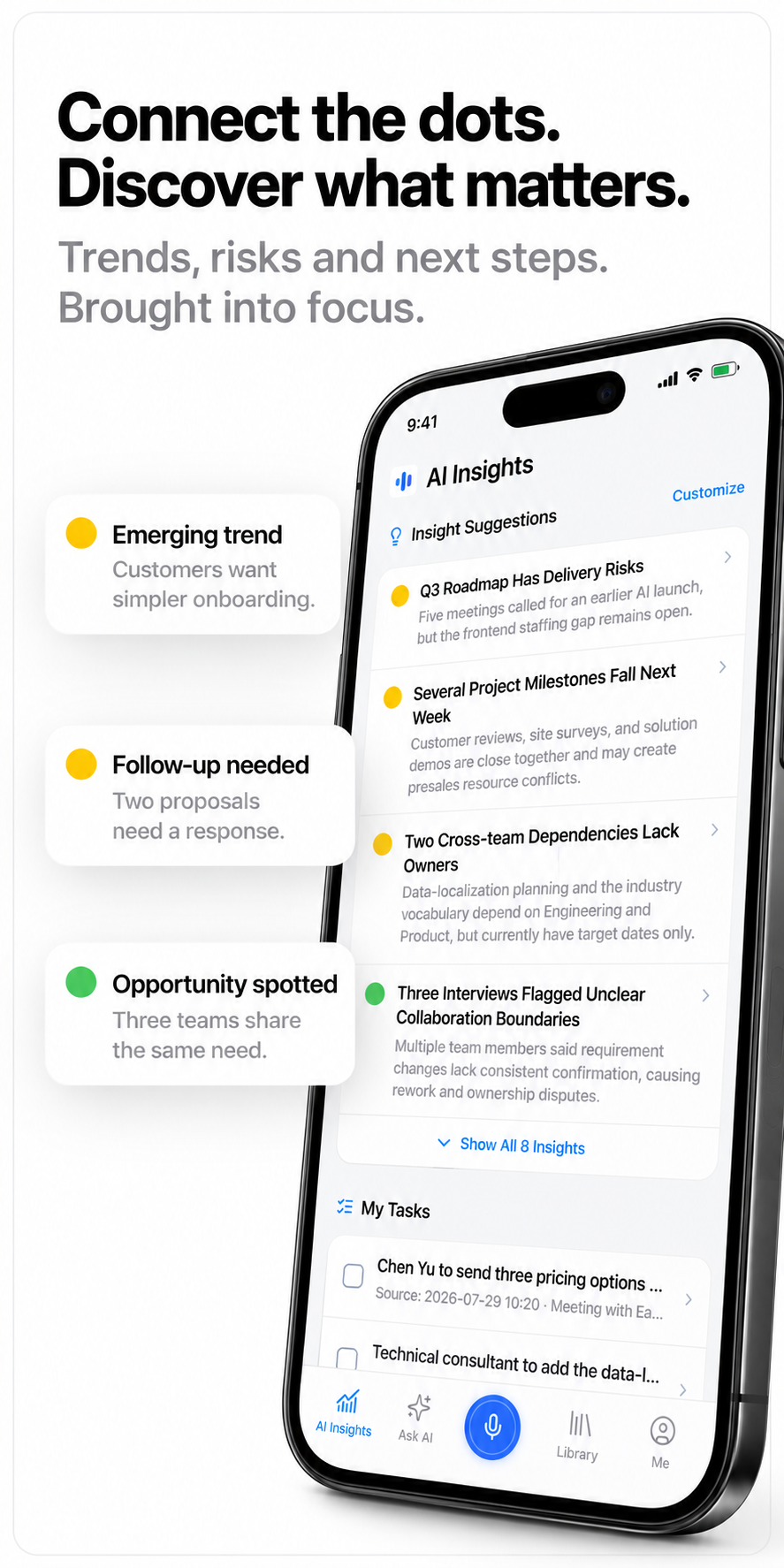
03 / DISCOVER
Find recurring themes, open follow-ups and useful next steps across your saved conversations.
FROM A MOMENT TO A RESOURCE
Capture the context. Keep it organized. Return with a better question.
01 / THE APP IN PRACTICE
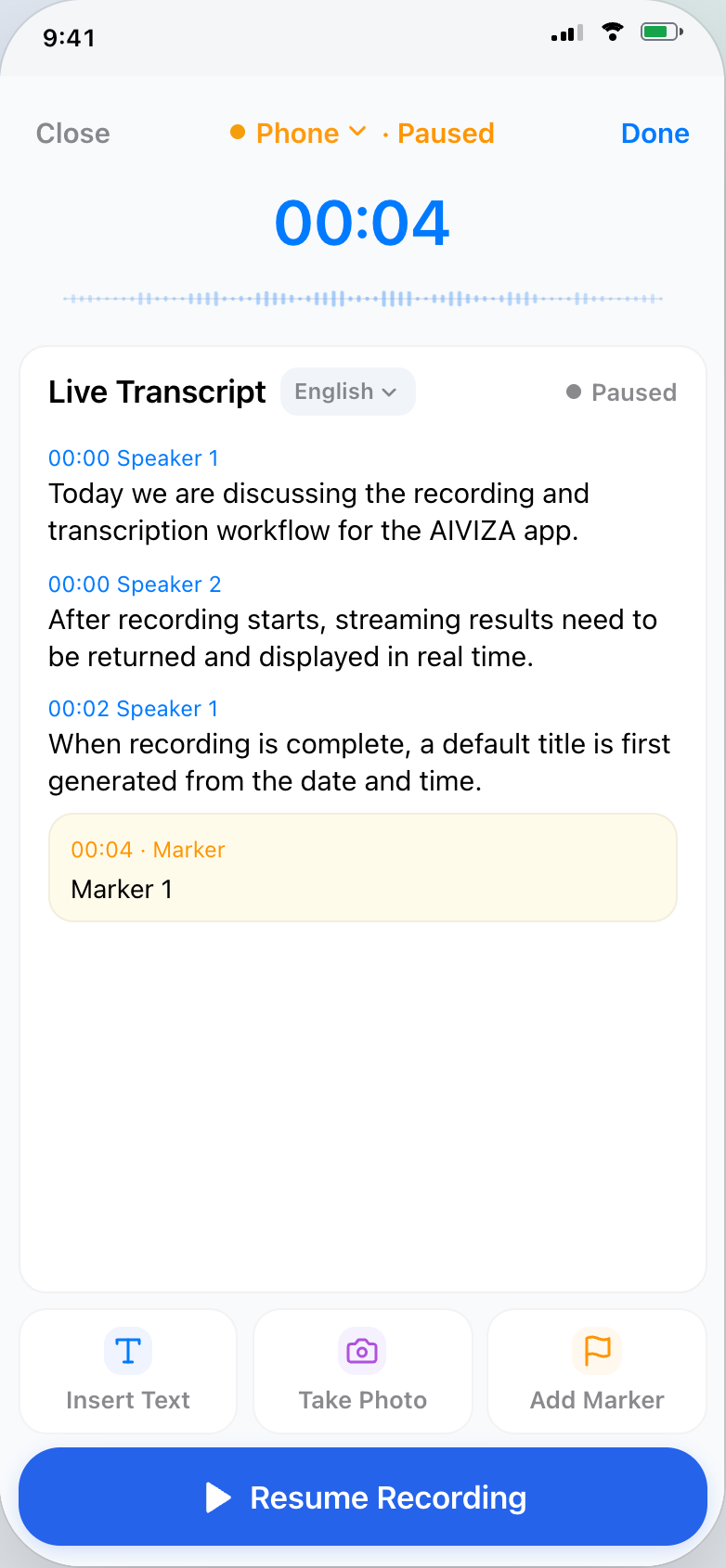
Add a marker when something matters. Add text or a photo while recording, so the context stays with the conversation.
SIX WAYS TO MAKE SENSE OF IT
A team meeting, a lesson or a personal thought. Choose a format with the right focus.
01 / Meeting notes
Bring together the topics, different viewpoints, decisions, open questions and follow-up tasks from a meeting.
FORMAT PREVIEW
The outline adapts to what is actually in the recording.
MADE FOR YOUR EVERYDAY
From a team decision to a new idea. Give the moments that matter a place to stay.

Stay in the discussion. Return to the decisions and next steps.

Keep the details close, even after the conversation ends.

Listen beyond the brief. Remember the needs behind every request.

Be curious now. Revisit the ideas and explanations later.
A FEW THINGS TO KNOW
The app includes phone recording. AIVIZA Note is a separate recording companion; its final compatibility and availability will be shared with the product details.
Add text, photos and timestamped markers in the app. They help preserve the details you want to revisit alongside the audio and transcript.
Ask AI works with your saved library. Use all your resources or choose a folder to focus the question, and review the source references in the answer.
Read our Privacy Policy and Service Providers pages for the data processing information.
TAKE AIVIZA WITH YOU
Keep your words, ideas and next steps close.
Available on the App Store and Google Play.

Scan to download AIVIZA on iPhone, iPad or Android
aiviza.ai/download